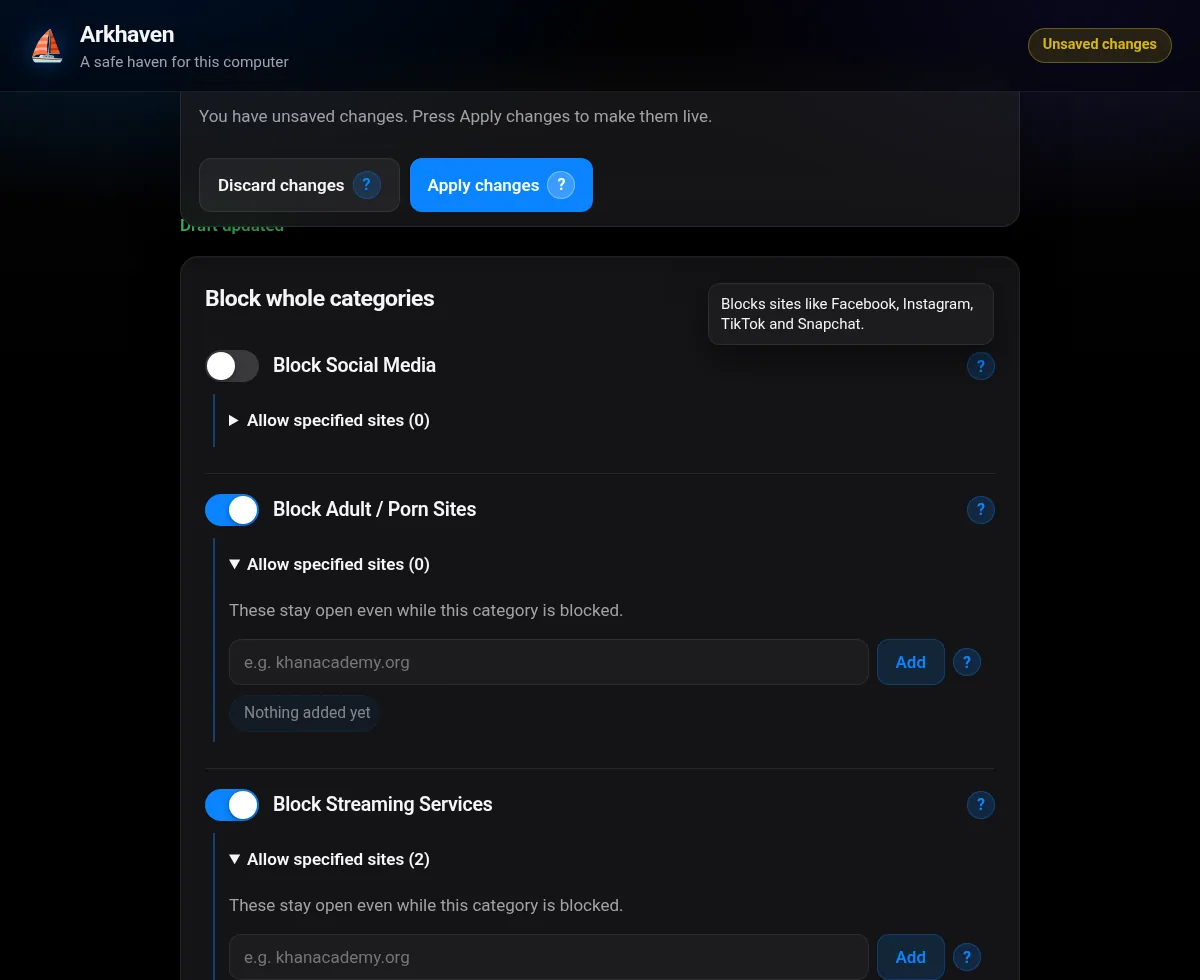
Lock the computer to just the apps and sites you choose — unlock with your PIN. You decide what's open and what's off-limits, and a guardian holds the key.
Pin the computer to one app or a short list. Only the guardian's hotkey plus PIN unlocks it.
Activity & screen time
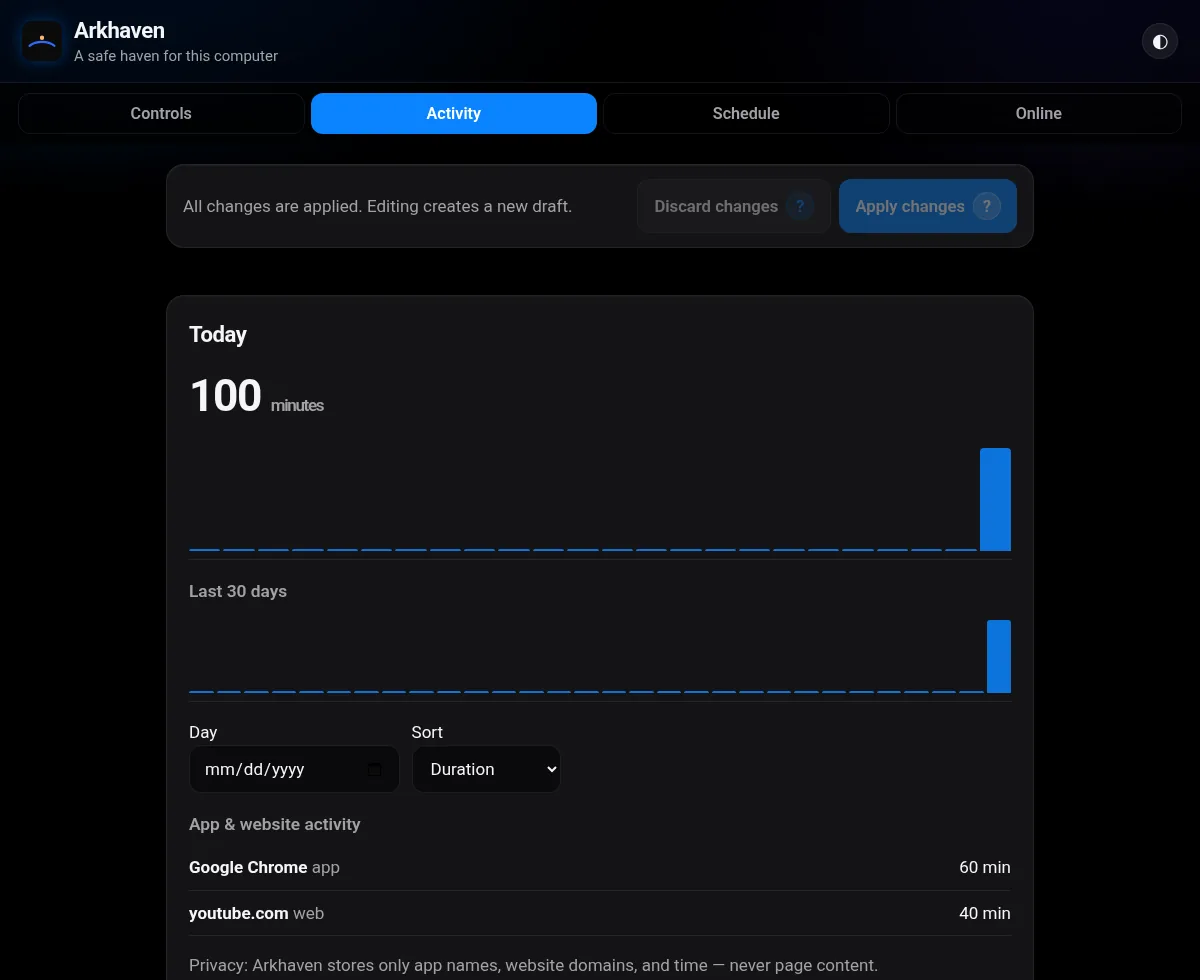
See which apps and sites were used and for how long, broken down by day, all stored on the computer itself.
Schedules & limits
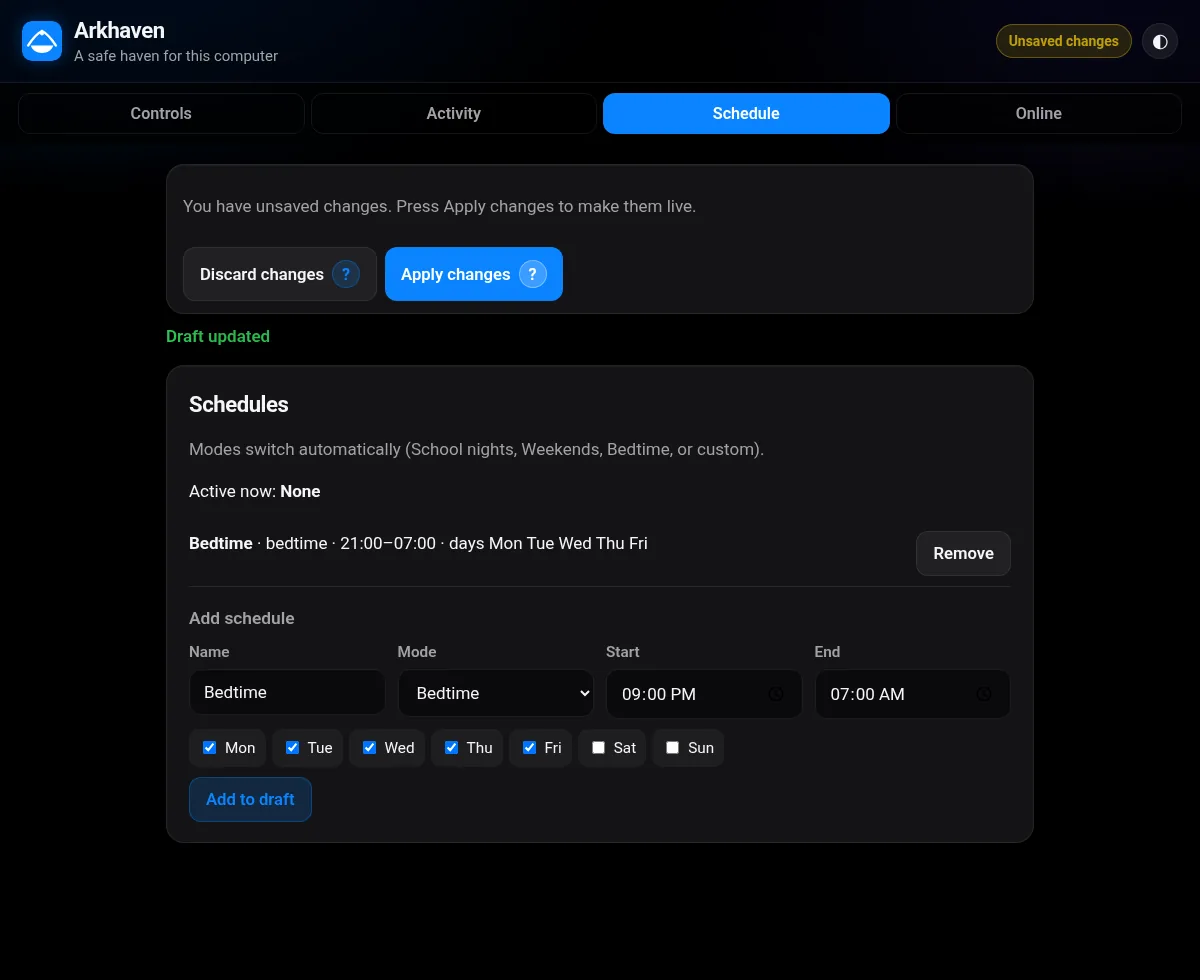
Set bedtimes, school-night rules and daily limits. You can give bonus time when it's earned.
Safe search, everywhere
SafeSearch is forced on Google (every country), Bing, DuckDuckGo and YouTube. Explicit searches are blocked and you get an alert. Image search can be switched off.
Open forums switch
One switch blocks Reddit (and its picture sites and mirrors), Quora, 4chan, 8kun, 9gag, Tumblr and Lemmy, with exceptions for the forums you trust.
Pause the Internet
Dinner time? Pause it from your phone. The home network keeps working, and Homework mode allows only the sites you approve.
One-tap modes
School, Gaming, Bedtime, Family time, Weekend and Travel. Each one is editable and can run on a schedule, like School on weekdays 8–3.
Day & night insights
Rounded day/night charts with plain captions like “2h more than usual after 10pm”, plus daily and monthly email reports.
Guardian phone portal
Approve requests, lock a device, add time and get weekly reports from your phone, wherever you are.
VPN & bypass hardening
Arkhaven runs as a protected system service. It shuts the usual escape routes: VPNs, proxies, DNS-over-HTTPS, hosts-file edits, Task Manager and other system tools.
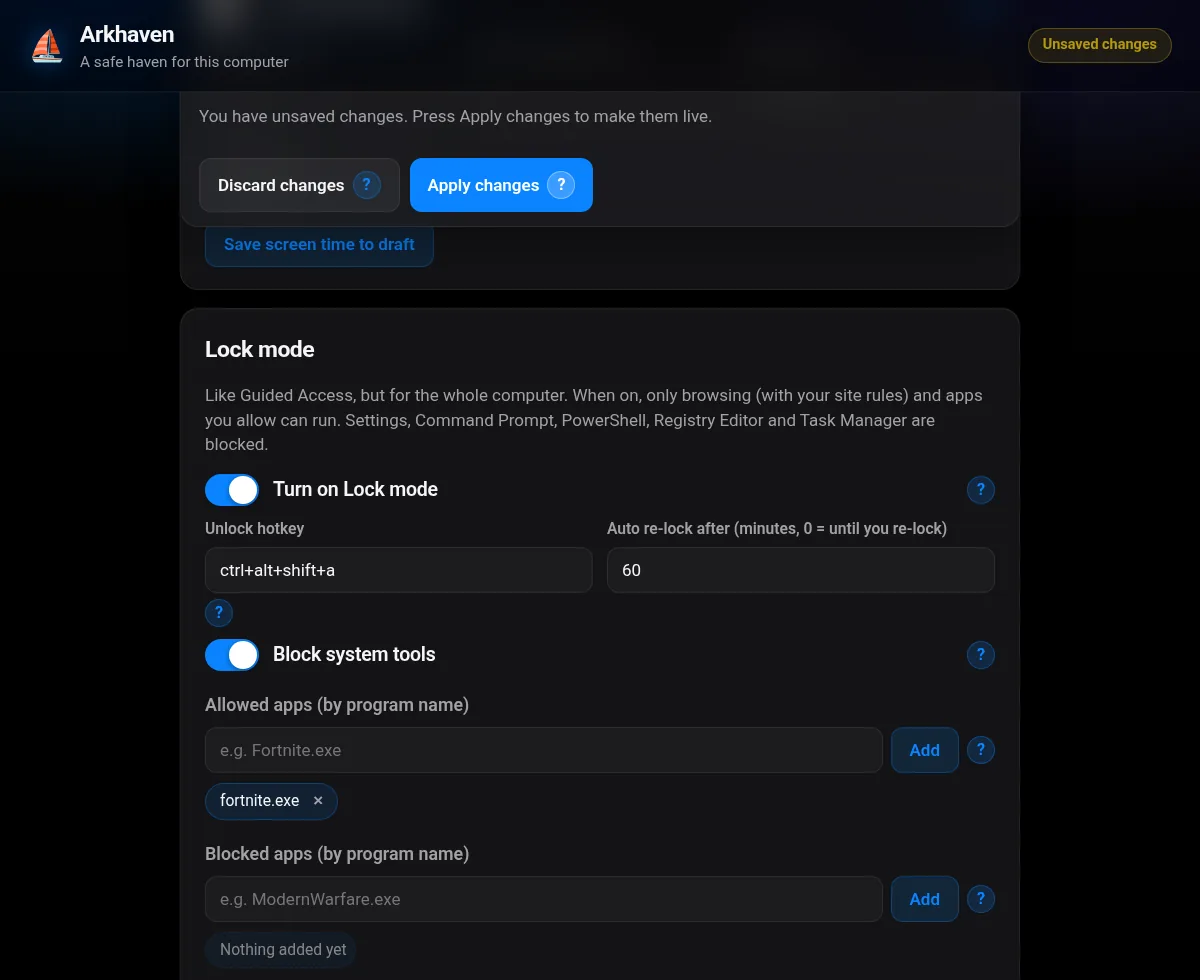
Lock mode
Just homework. Nothing else.
Turn on lock mode and the computer stays on the apps you've chosen. To unlock it, press CtrlAltShiftA and enter the guardian PIN. Without the PIN, it stays locked.
Activity
See where the time went.
Daily totals for apps and websites, with no screenshots and no reading of messages. You see enough to start a good conversation.
Schedules
Rules that run on time.
Set school nights, weekends and bedtime once, and Arkhaven applies them on schedule. A friendly block page explains what's going on and lets them ask for more time.
Guardian portal
The key stays in your pocket.
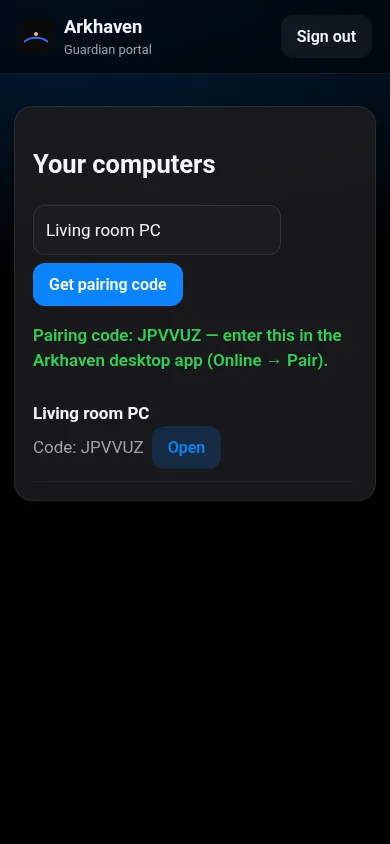
Pair a computer with a 6-character code. Then lock it, unlock it, approve requests and read weekly reports from portal.arkhaven.app.
Who it's for
One haven. Every kind of guardian.
Families
Parents and grandparents who want family computers and devices that are safe, without having to be tech experts. You get sensible presets, a PIN, and that's it.
Adults with a partner
Want accountability? Make a trusted friend, spouse or mentor your guardian. They hold the key, so you aren't relying on willpower alone.
Schools Coming soon
Classroom and lab computers that stay on task, with central management for staff. Join the waitlist to pilot it.
How it works
Set up in three calm steps.
Install and pick a PIN
Run the installer on the family computer and choose a Guardian PIN. Only you can change the rules.
Tap a mode or preset
School, Gaming, Bedtime, Family time — one tap each. Or start from Child, Teen, Adult or School or Education and tweak.
Relax, and check in
See day and night use in plain words, get alerts for explicit searches, and pause the Internet from your phone.
Compare
Built for the family's computers and devices.
Phone-first apps are great on phones. Arkhaven is built to hold up on computers, starting with Windows. Competitor features from their public pages, October 2026.
Feature
Arkhaven
Aura
Qustodio
Forced SafeSearch + YouTube Restricted
✓ all browsers
✓
✓
Block explicit searches + alert
✓
—
Alerts
Pause the Internet
✓ keeps home network
✓
✓
Lock the computer to chosen apps (PIN + hotkey)
✓
—
—
VPN / DoH / Incognito bypass hardening
✓
Phone only
Varies
Works offline, activity kept on the computer
✓
—
—
Phone GPS / texts
Planned (Advanced)
✓
✓
Free plan
✓ 1 computer
Trial
Limited
Pricing
Simple, honest pricing.
Paid plans aren't on sale yet. Join the waitlist and we'll tell you when they open.
First up: the beta is coming soon. Join the waitlist and you'll get the download link first.
Mac, iPhone & Android
Coming soon. Join the waitlist to hear when your device is ready.
Waitlist
Be first through the door.
Get the beta, early pricing and launch news. You can also send us a question here.
FAQ
Questions, answered.
What is Arkhaven?
Arkhaven is an app that decides what's open on a computer and what's off-limits: sites, apps, games and times of day. Only a guardian, using a PIN or the phone portal, can change the rules.
Is my child's activity uploaded to the cloud?
No, not by default. Activity stays on the computer. If you pair it with the guardian portal, only summaries (such as total minutes and top apps) and your settings sync, so you can manage it from your phone. We never read messages, take screenshots or record keystrokes.
Can a tech-savvy kid get around it?
Arkhaven runs as a protected system service and blocks the common workarounds: VPNs, proxies, DNS-over-HTTPS, editing the hosts file, Task Manager and other system tools. No software is perfect, but this is built to hold.
Can I allow one game but block another?
Yes. Allow-only mode lets you approve exactly the games and sites you want. Fortnite can be allowed while Call of Duty stays blocked.
What's the browser extension for?
The Arkhaven Activity extension tells the Arkhaven app on the same computer which website is active and enforces website time limits. Since v0.5 it also reads the words typed into Google, Bing, DuckDuckGo and YouTube searches, so it can block explicit searches. Matching happens on the computer, and only the matched word is kept, never the full search. It never reads page content. Details in our privacy policy.
Does SafeSearch catch everything?
No filter is perfect. Arkhaven forces SafeSearch three ways (network, browser policy and the extension) and can switch image search off entirely, which is the surest fix. Less common search engines are blocked by the adult category.
When can I get it? Which devices does it work on?
Windows comes first: the beta is coming soon, and people on the waitlist get it first. Mac, iPhone and Android are coming soon.
How much does it cost?
There's a free plan. Guardian is $4.99/mo or $39/yr, and Family is $6.99/mo or $49/yr for up to 10 computers. The first 100 founding members pay $29/yr. Paid plans are coming soon.